Redesigning Cultural Navigator
at Berlitz
I interned as a Learning Experience Intern at Berlitz in NYC, and reimagined how B2B training platform Cultural Navigator with another intern: cultural training product due for a complete overhaul. I ran the audit, built the value proposition, redesigned the UI/UX, and positioned the product inside the app.
COMPANY
Berlitz · NYC
ROLE
Learning Experience Intern
DURATION
Summer 2025
OWNED
Audit · positioning · UI/UX · LX demo
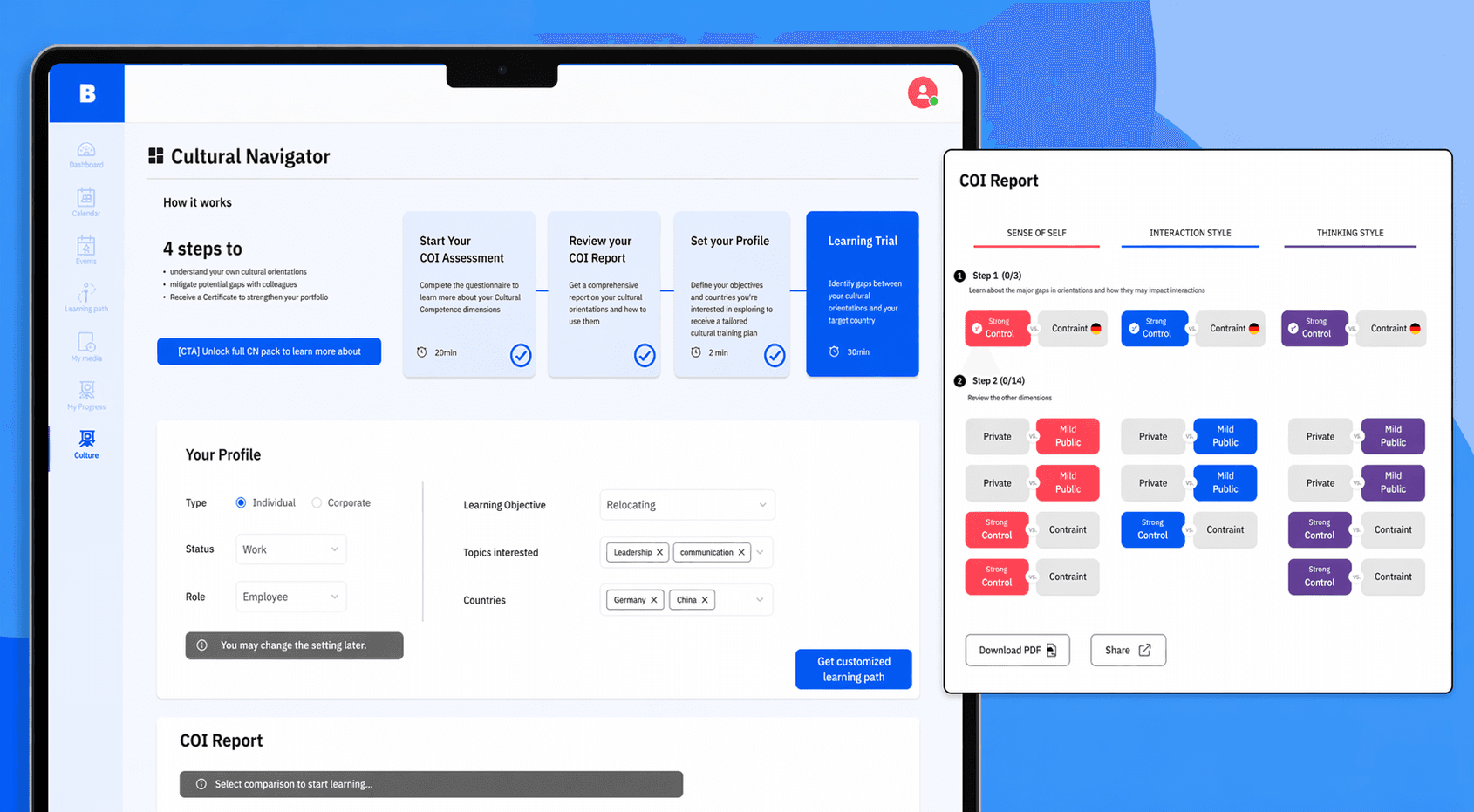
The Problem:
Outdated cultural-learning product with few takers, due for a relaunch in the next year.
The Outcome:
Redesigned UI/UX and content, shipped as a 3-step LX demo.
The Impact:
Handed to business, product & LX teams to drive the relaunch.
AUDIT & ANALYSIS
Mapping the product screen by screen
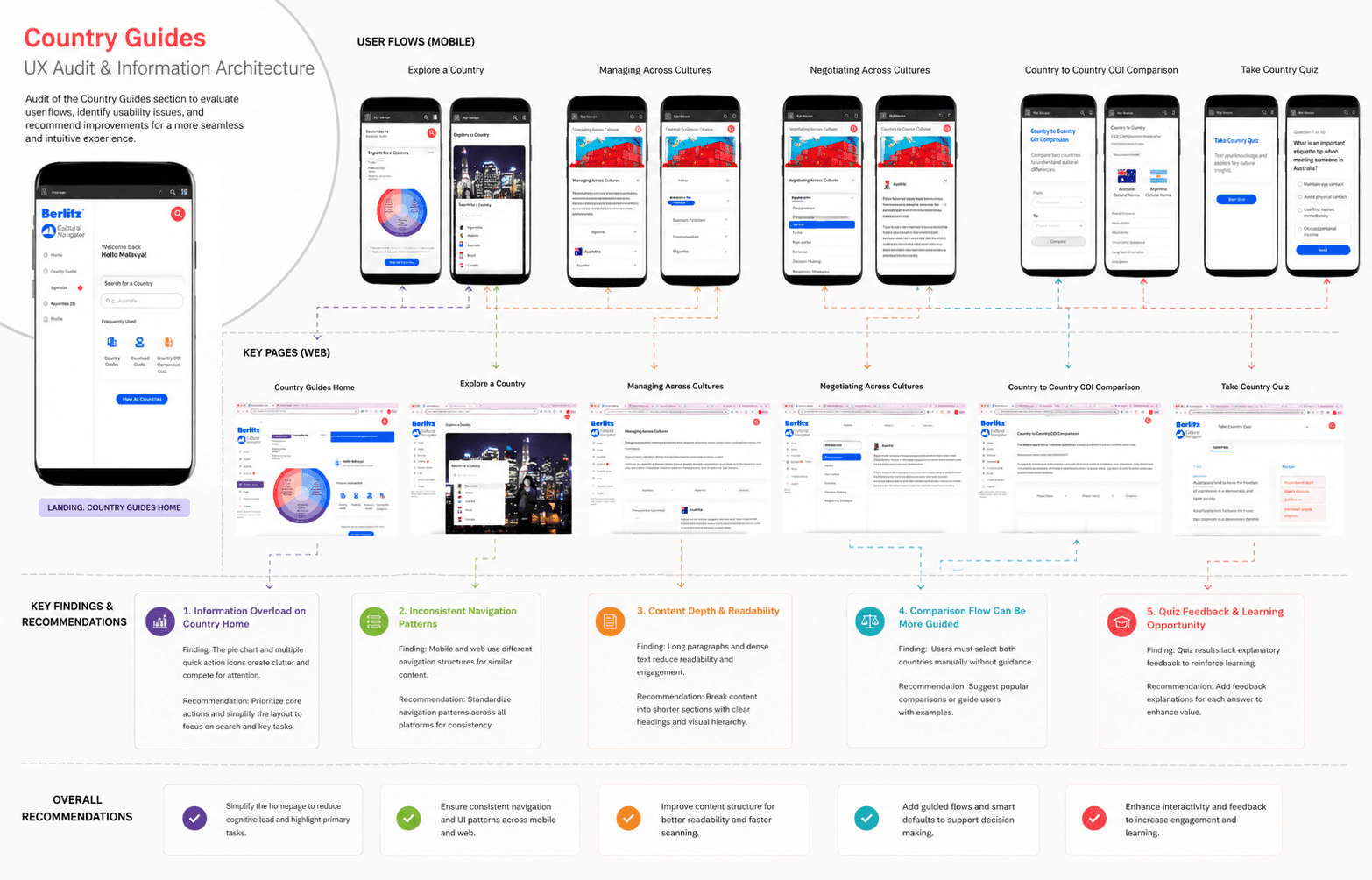
An extensive UI/UX Audit was conducted to understand each function of the product design. Every tab was analyzed, with detailed notes on the user experience for
each function. Documented on a Figma board and reviewed page by page with the larger team. A user journey was mapped out for the product for each function and screen on the product.
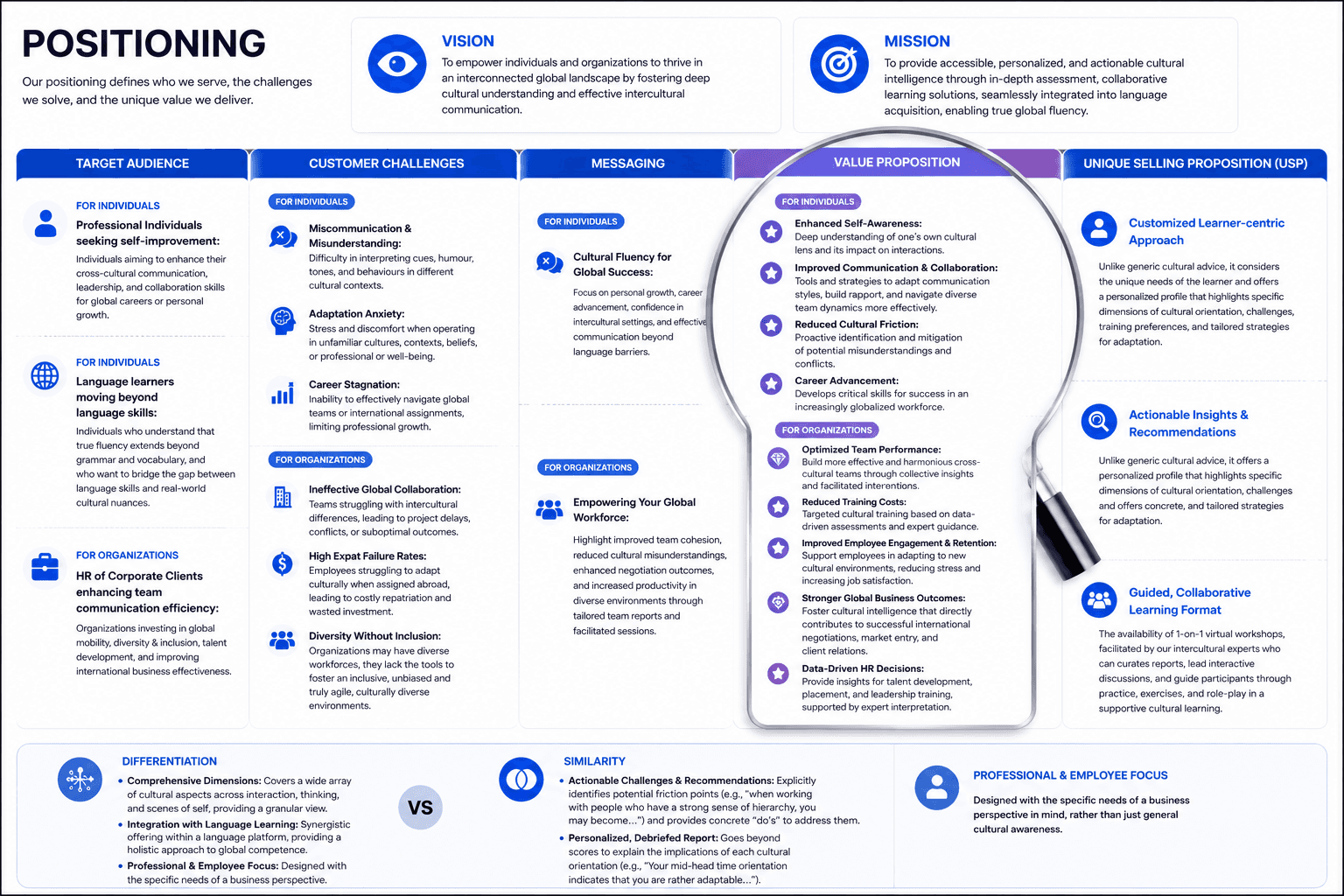
WHAT WE FOUND
→
Endless Scrolling: COI results had many dimensions and each dimension took a full-width card for one data point
→
Country guides had inconsistent structure
→
Key actions sat inside menus, not on pages: "Managing Across Cultures" and "Negotiating Across Cultures" needed clearer CTAs
→
Learning was pagination-heavy. 112 quizzes across 23 pages, 5 per page, every content type in the same table.
→
The assessment was too long and unclear: 83 questions to reach a report that was hard to interpret.
PRODUCT STRATEGY
Two audiences, same product
Before touching the UI, we drafted a positioning sheet, reviewed it with the team, and revised it to align with MyBerlitz's broader audience.
Two target audiences, same core product: individual language learners moving beyond language skills, and HR teams buying Cultural Navigator for their global workforce.
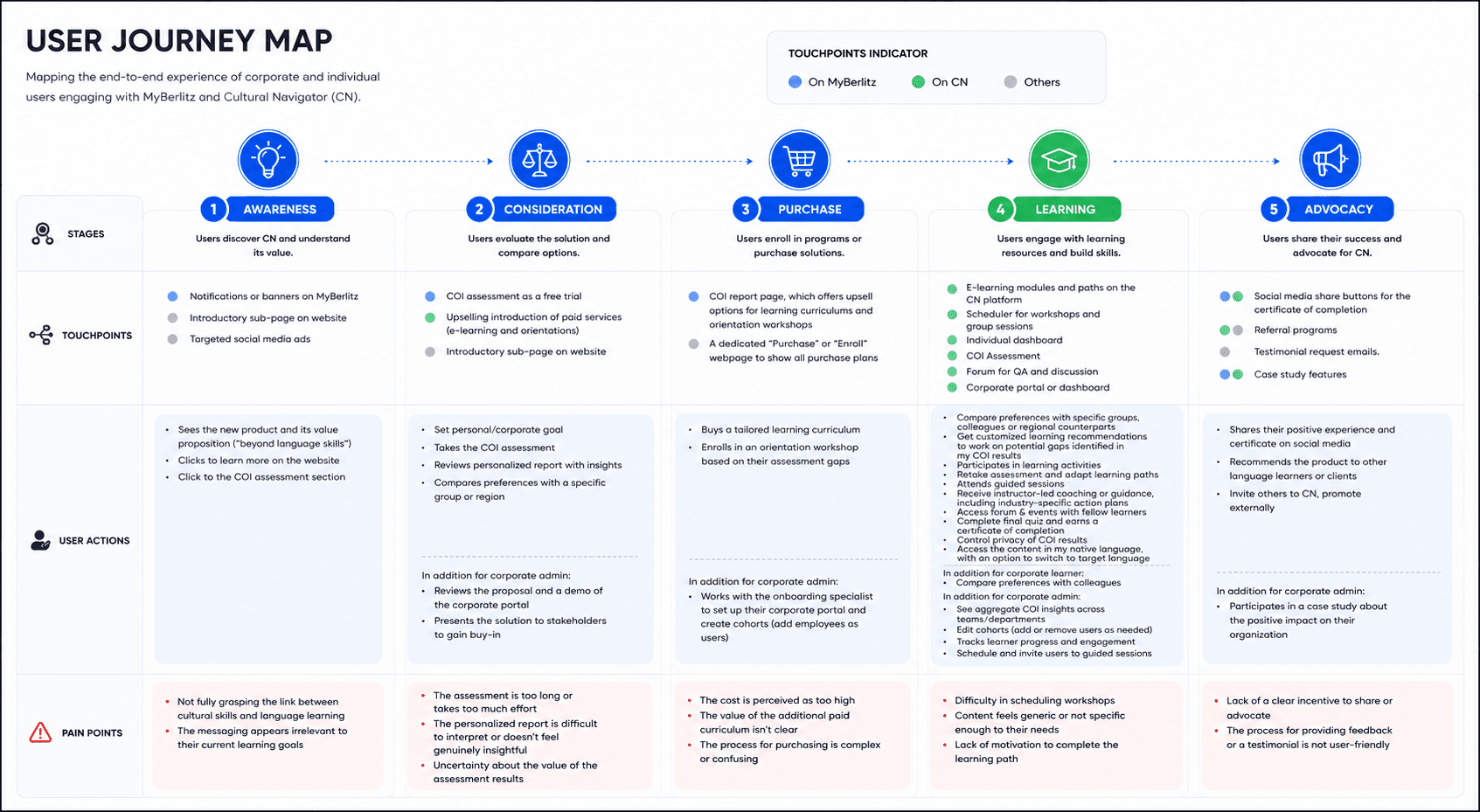
IMAGE · POSITIONING.PNG
REDESIGN
Denser data, one clear story
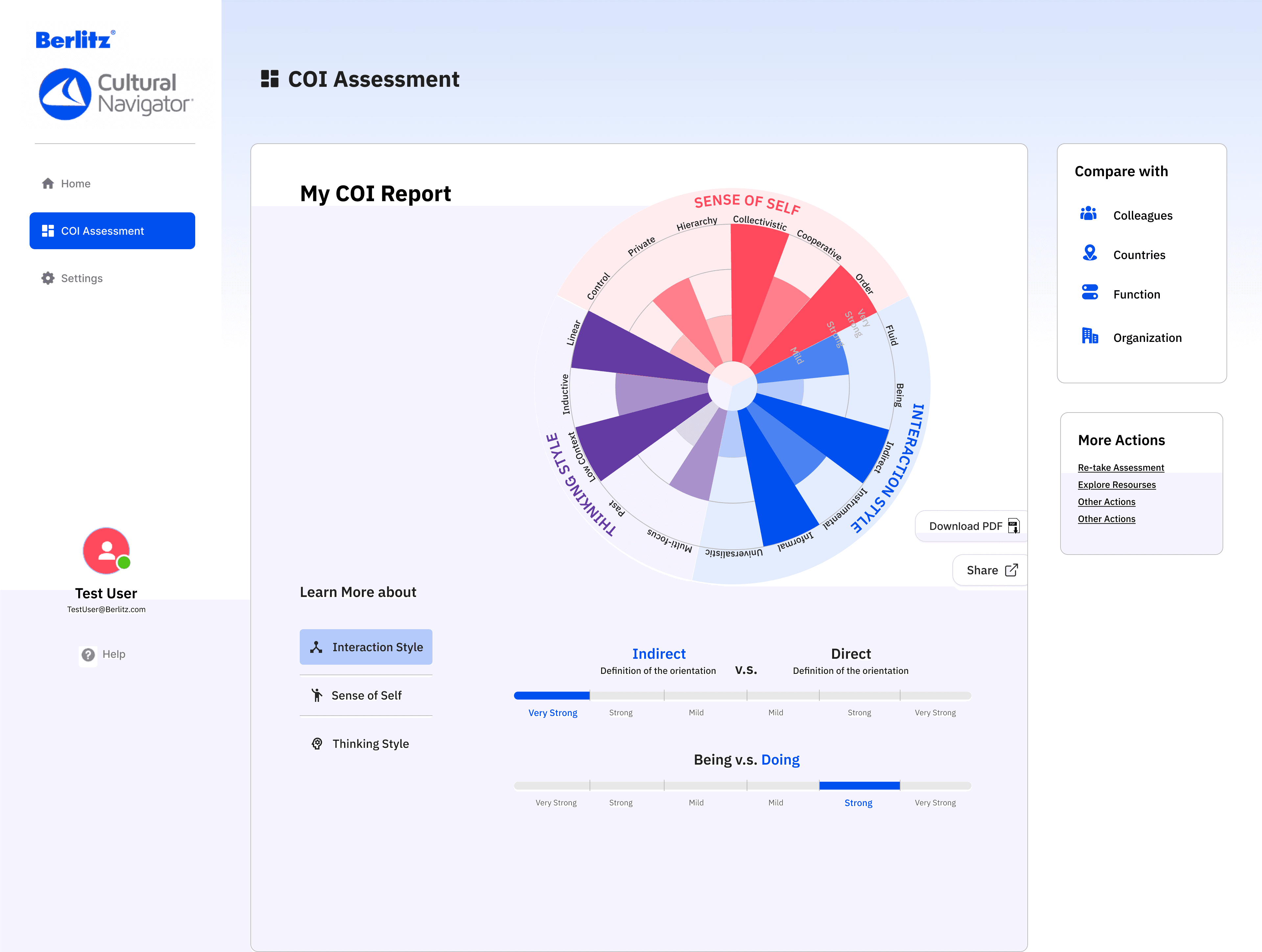
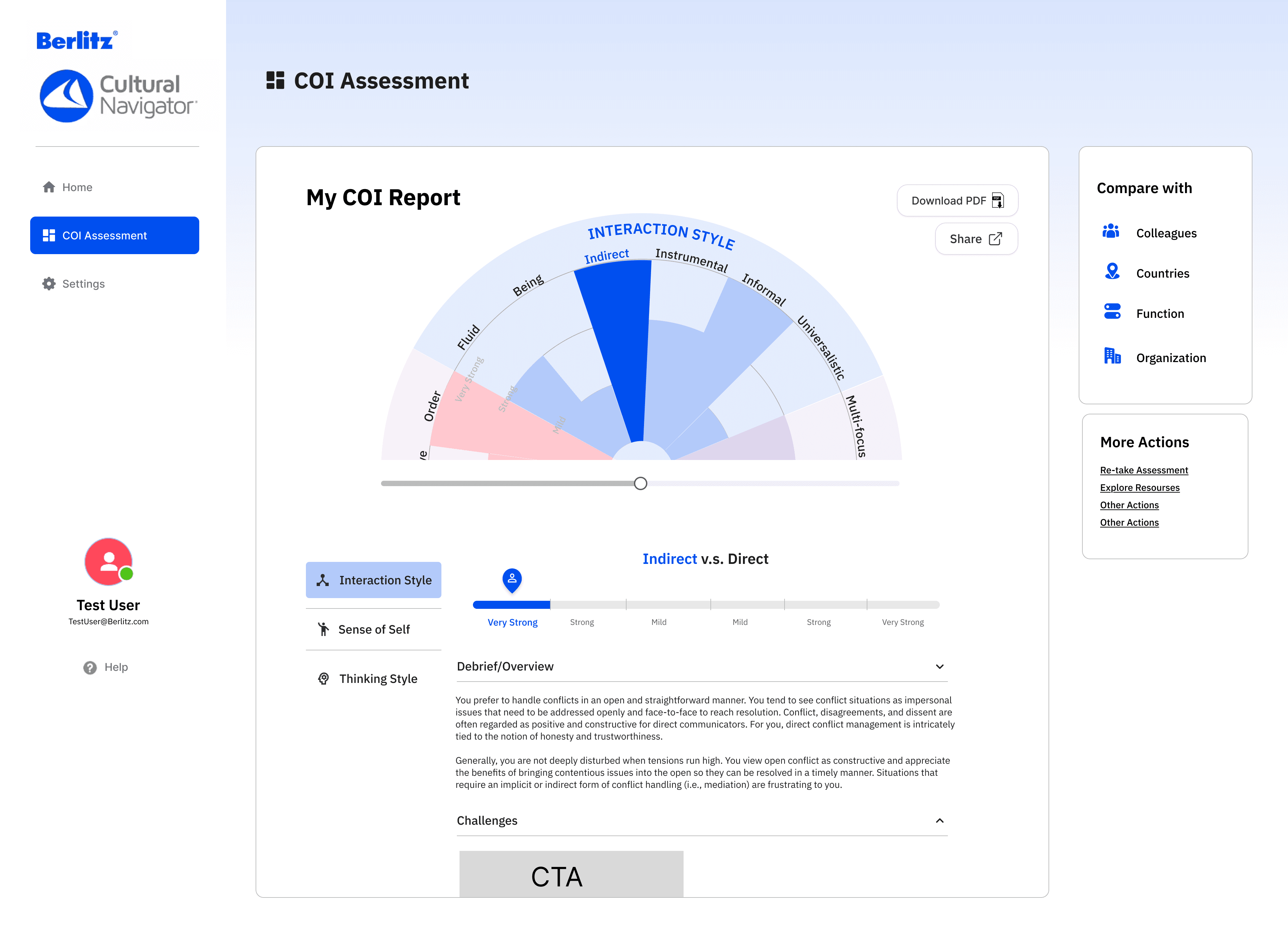
The COI report was the flagship screen. The original spread every dimension across a long scroll of full-width cards;low density, high effort. We reworked it into a single heatmap view plus a compact bar-chart grid, so the full profile is legible at a glance.
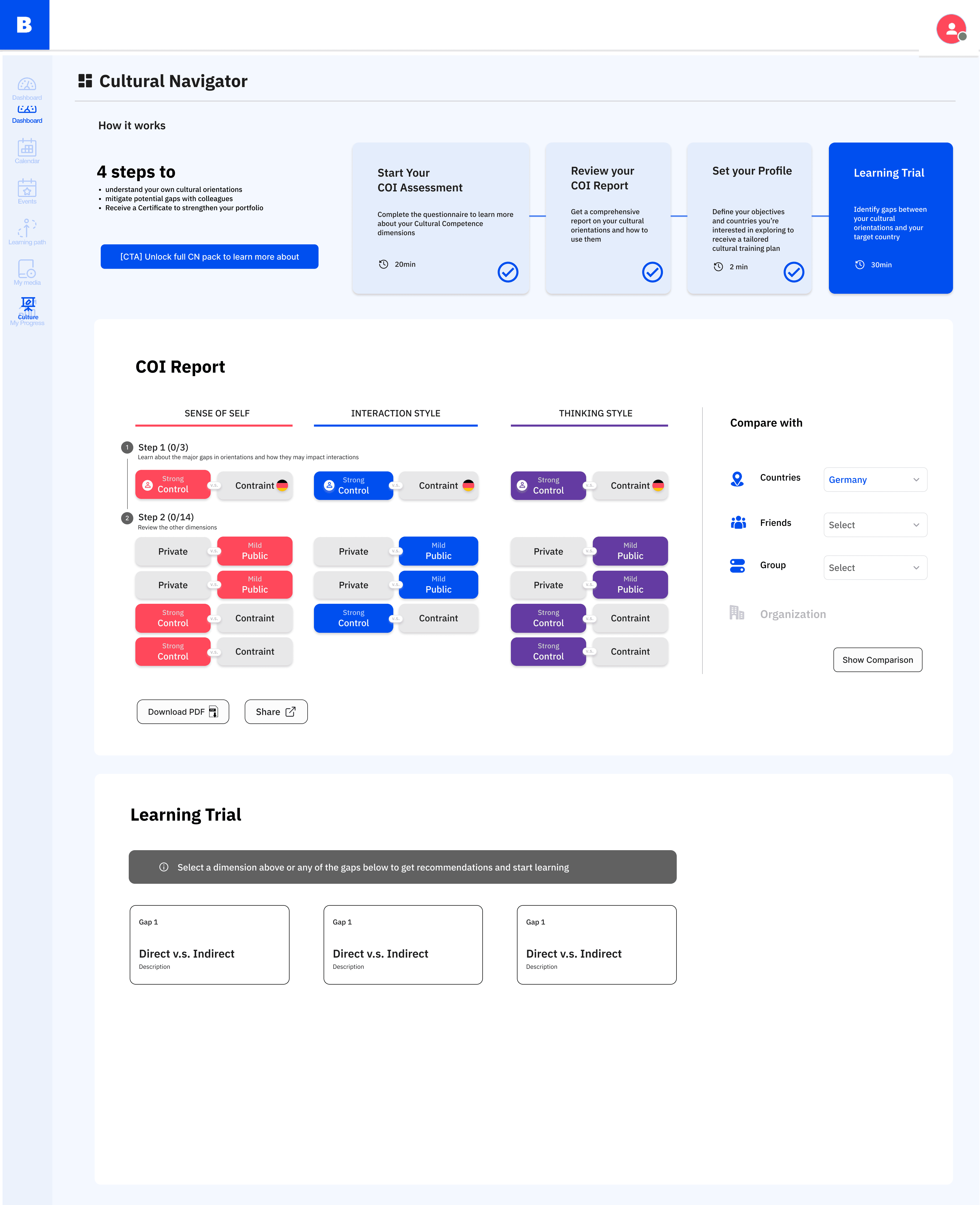
Two iterations. The wheel returned as the anchor, with a per-dimension drill-down underneath. Bar-chart grid version preserves the density of the original dev team's Gallup-style reference.
Login → freemium → full platform
The final deliverable is a three-step walk-through stakeholders can click through. Shows the hook, the freemium moment, and the paid experience in one flow.
STEP 1
Login
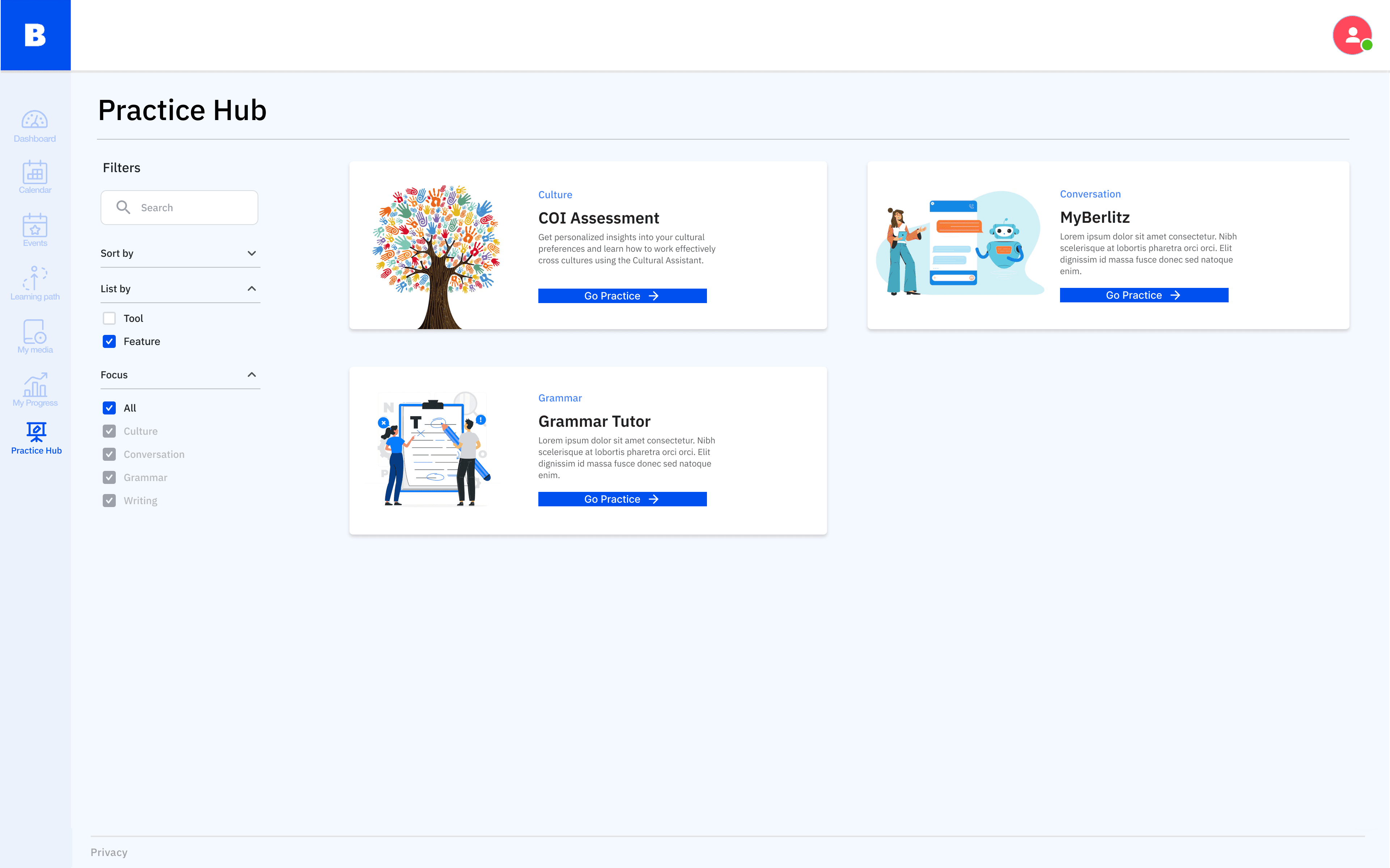
MyBerlitz users land on CN with context carried over. No re-intro, no re-onboarding.
STEP 2
Freemium + Trial
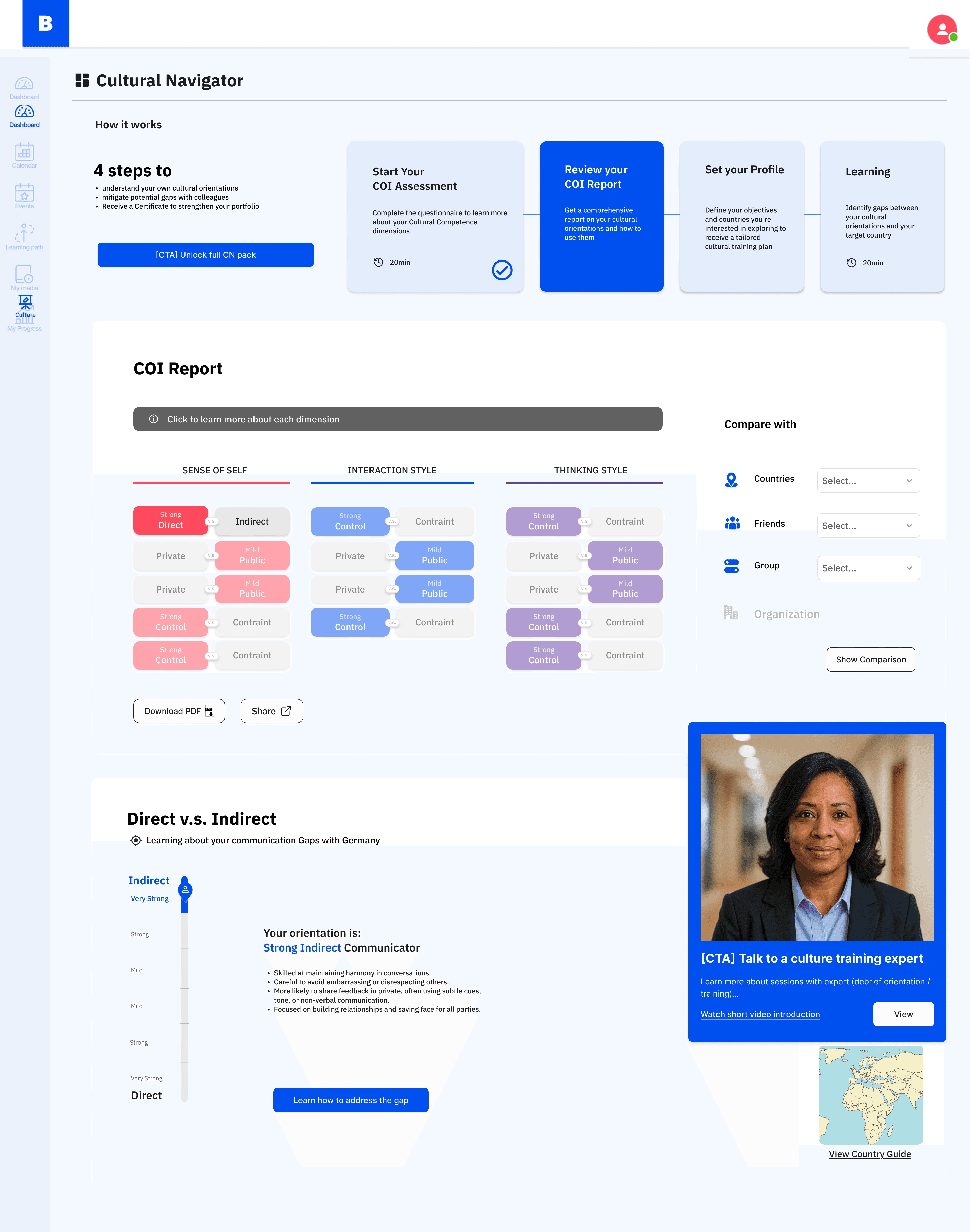
A trimmed COI, a short learning path, and a clear upsell to paid.
STEP 3
CN Platform
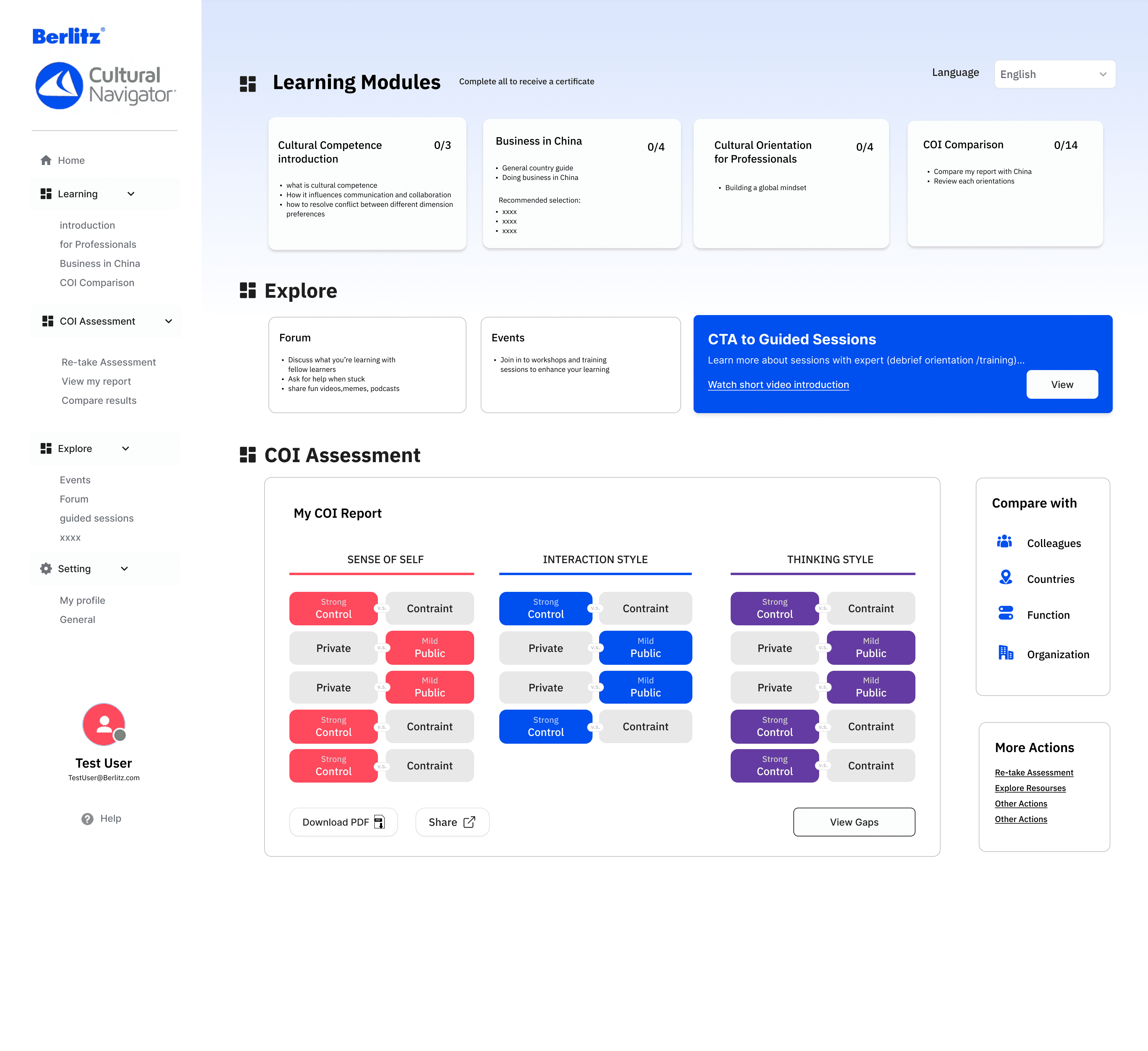
Reorganized nav, denser COI report, country guides with CTAs, learning by topic.
→
Denser COI report. Dimension cards compressed into a single dashboard — scannable, less scrolling.
→
Country guides got CTAs. Managing/Negotiating moved out of a dropdown and onto the country page.
→
Learning reorganized by topic, not content type. One list per cultural topic instead of 8 filter tabs.
→
Freemium overview as the hook. A trimmed COI + short learning path became the sales surface for the paid product.
WHAT I LEARNT